
PORTFOLIO MANAGEMENT. SEE BTi IN ACTION.
For financial advisers and portfolio managers: explore seven stages of the portfolio workflow, from defining risk profiles and constructing portfolios to analysis and monitoring, through authentic screenshots of the platform.
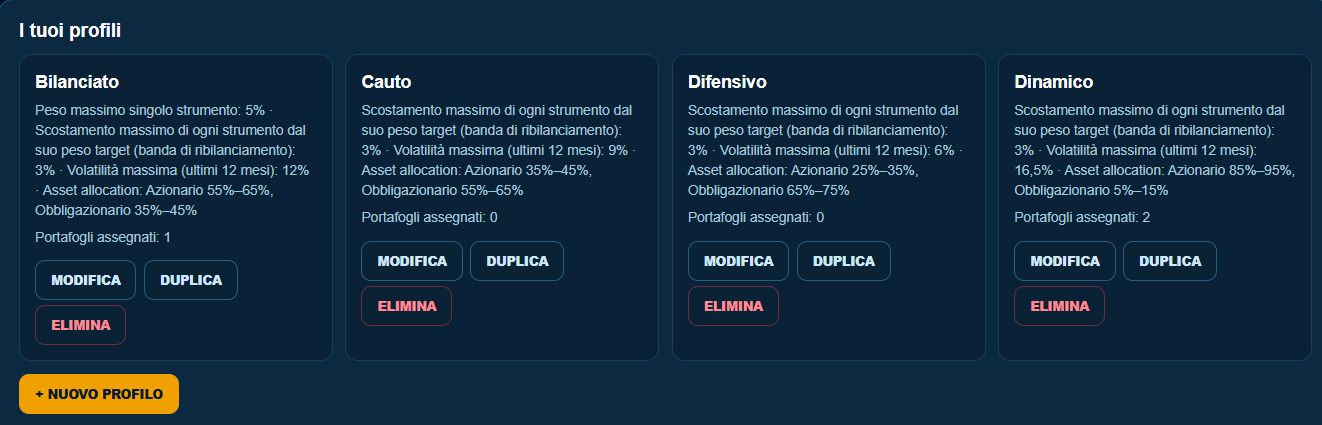
DEFINE YOUR CRITERIA BEFORE BUILDING A PORTFOLIO
Set differentiated risk profiles and make the constraints guiding portfolio construction explicit. Each profile contains the criteria and limits needed for an orderly analytical process.
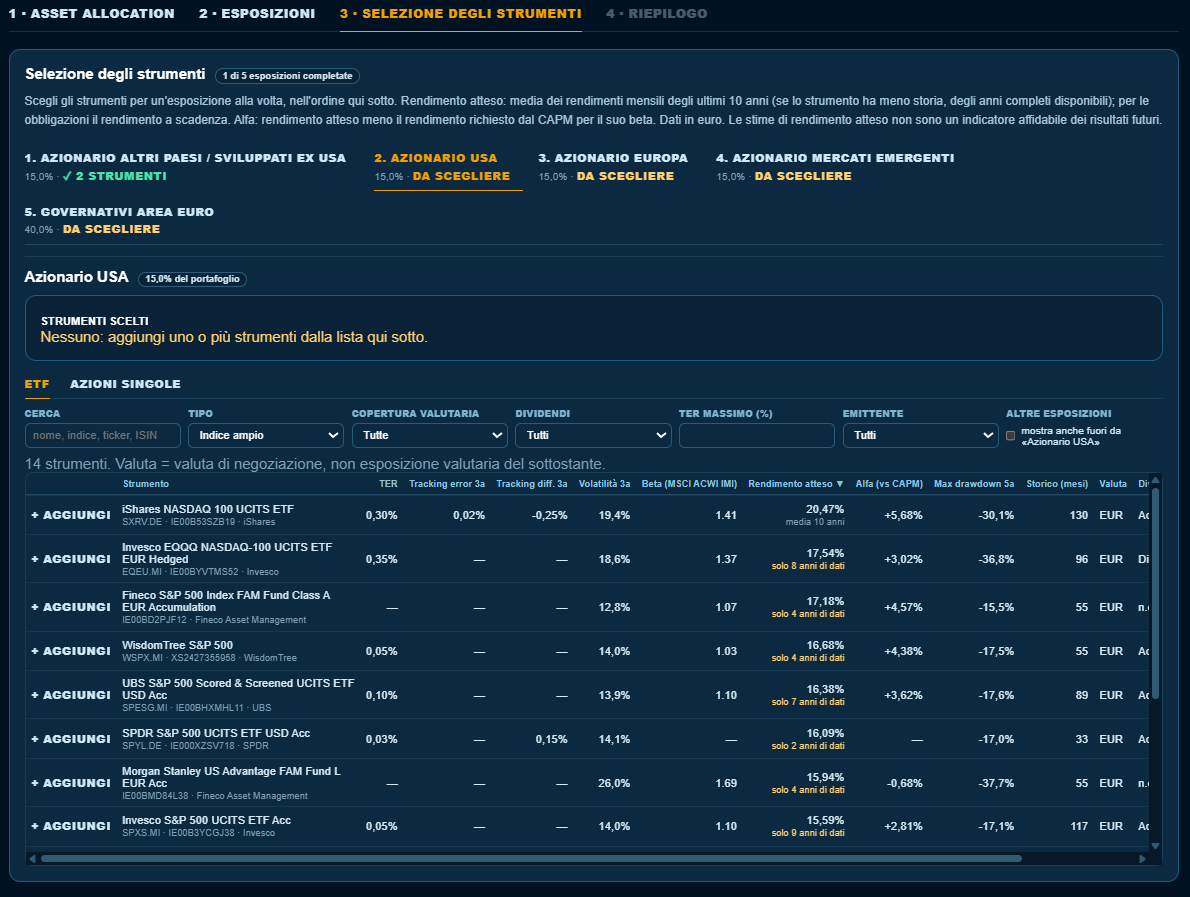
BUILD YOUR PORTFOLIO STEP BY STEP
From asset allocation to exposures and individual instruments, Portfolio Builder organises security selection in a guided workflow, allowing you to examine the characteristics and data of potential holdings.
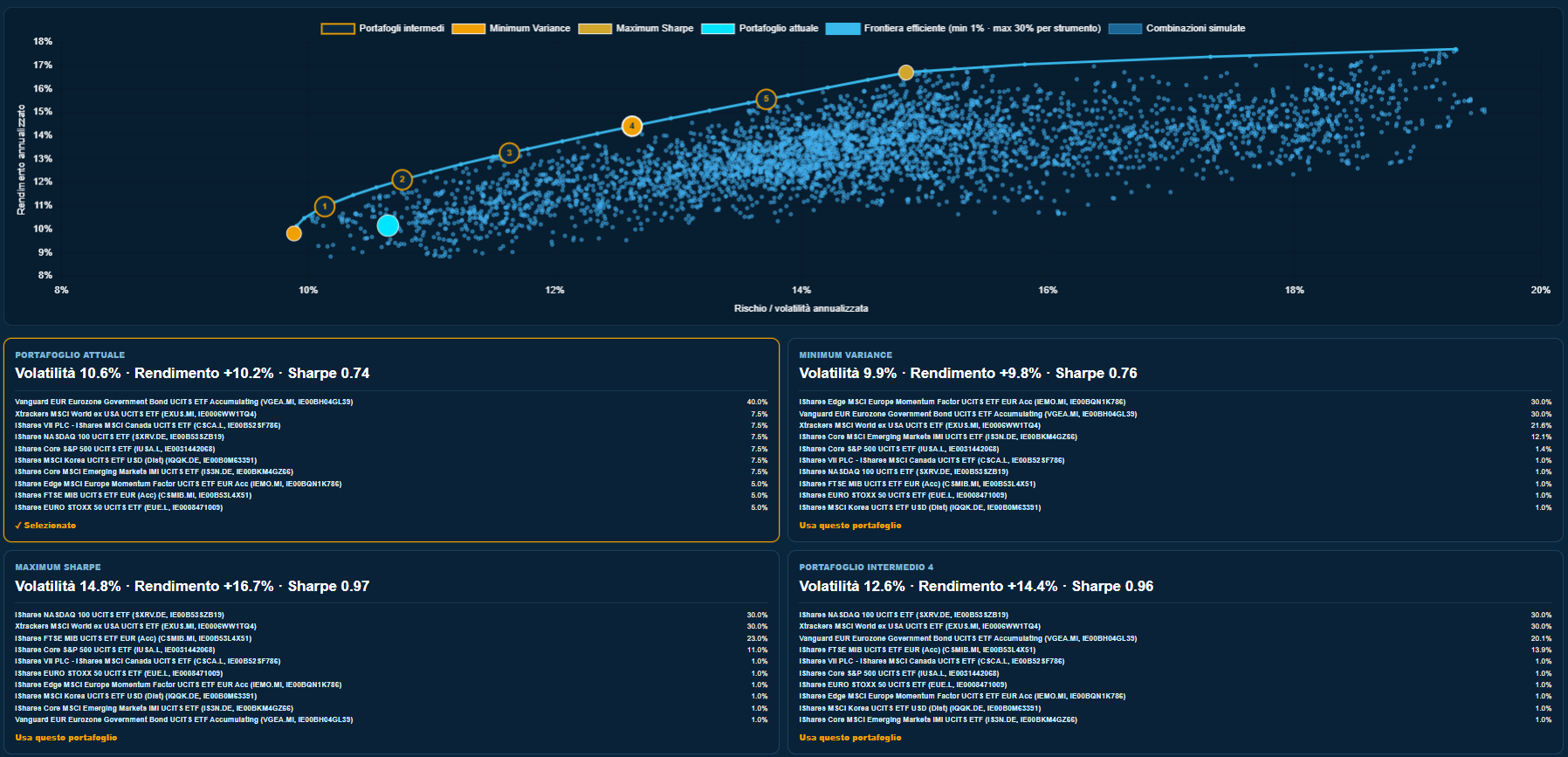
EXPLORE RISK AND RETURN COMBINATIONS
The efficient frontier visualises the relationship between volatility and expected return across the allocations considered by the model, making it possible to compare portfolios with different characteristics. These are quantitative estimates, not guaranteed future outcomes.
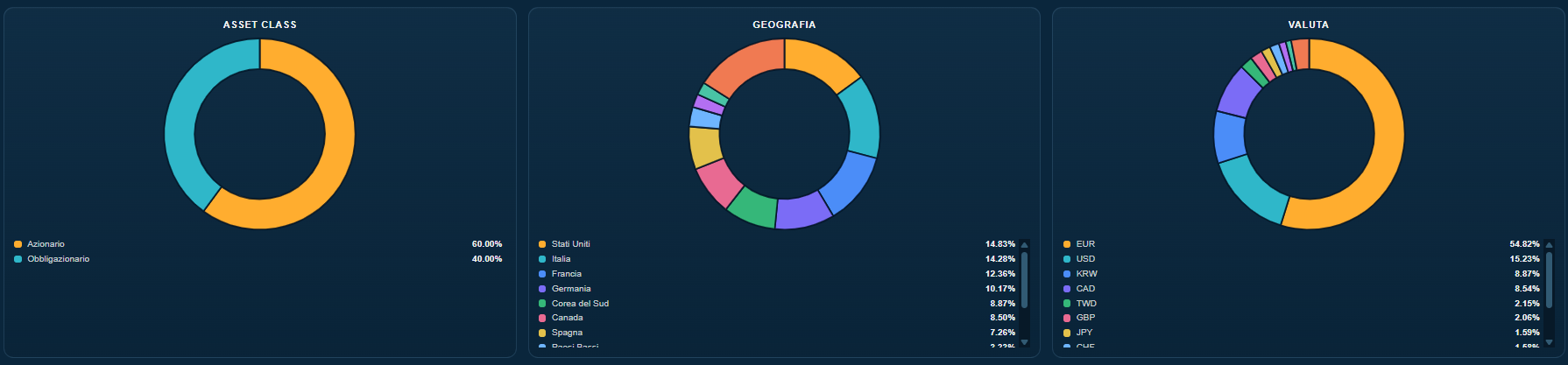
EXAMINE EVERY DIMENSION OF YOUR PORTFOLIO
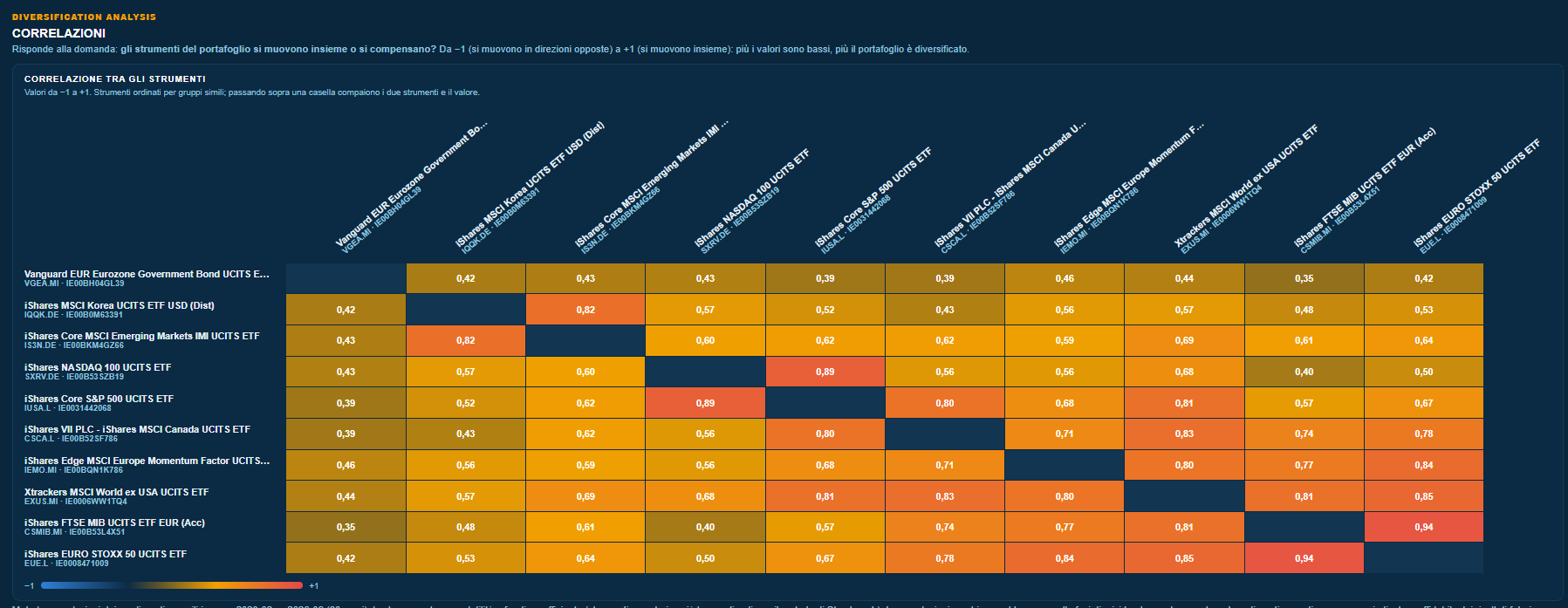
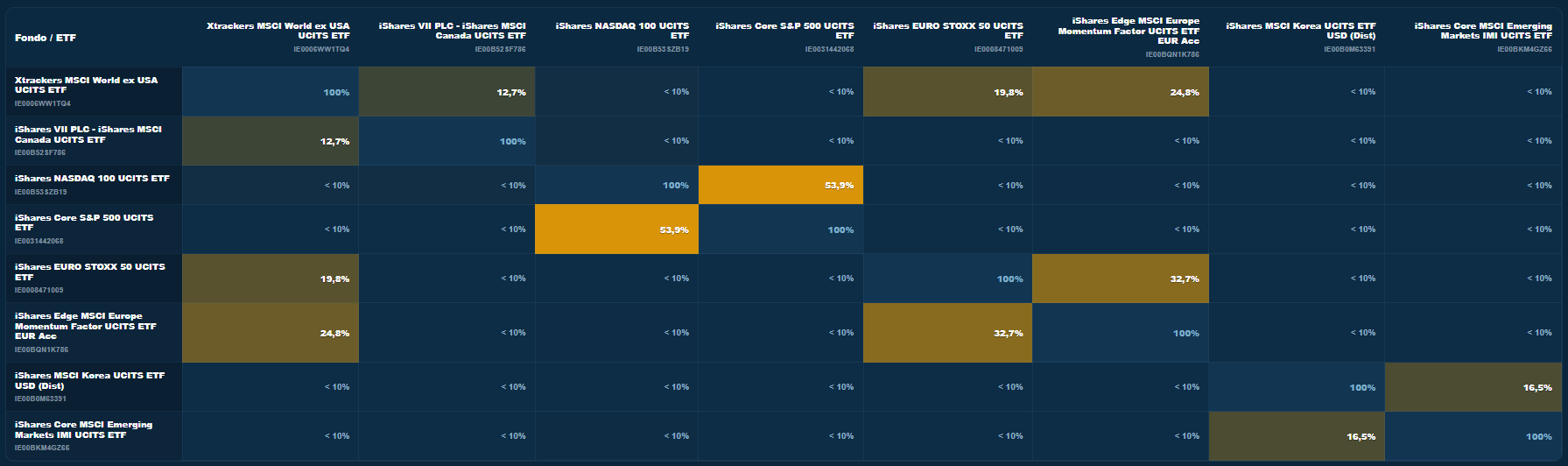
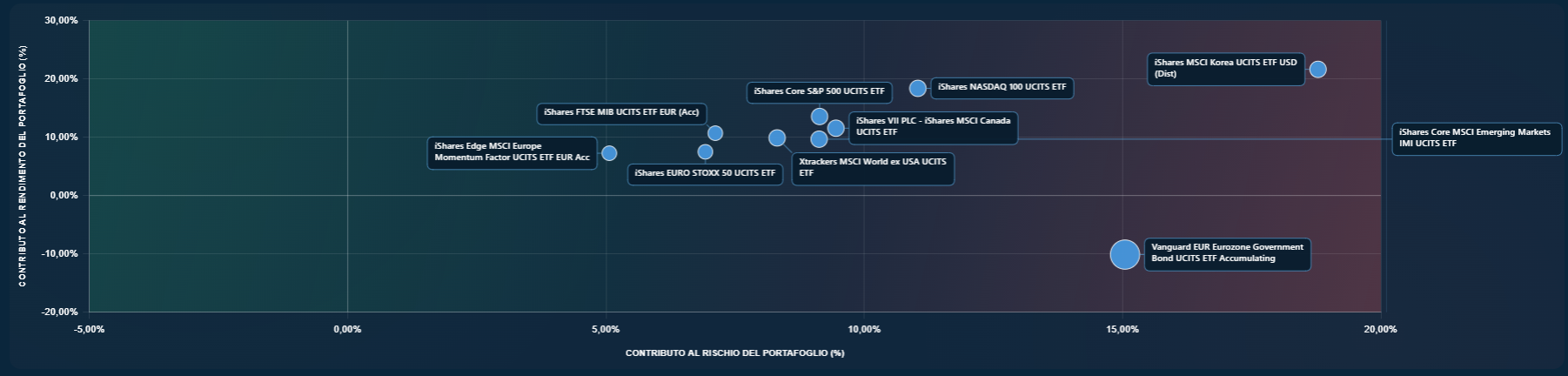
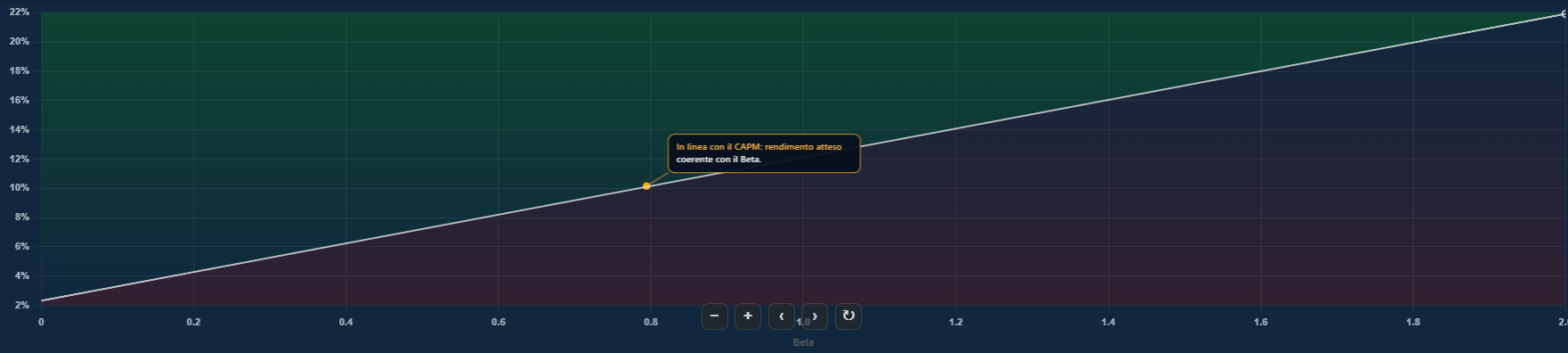
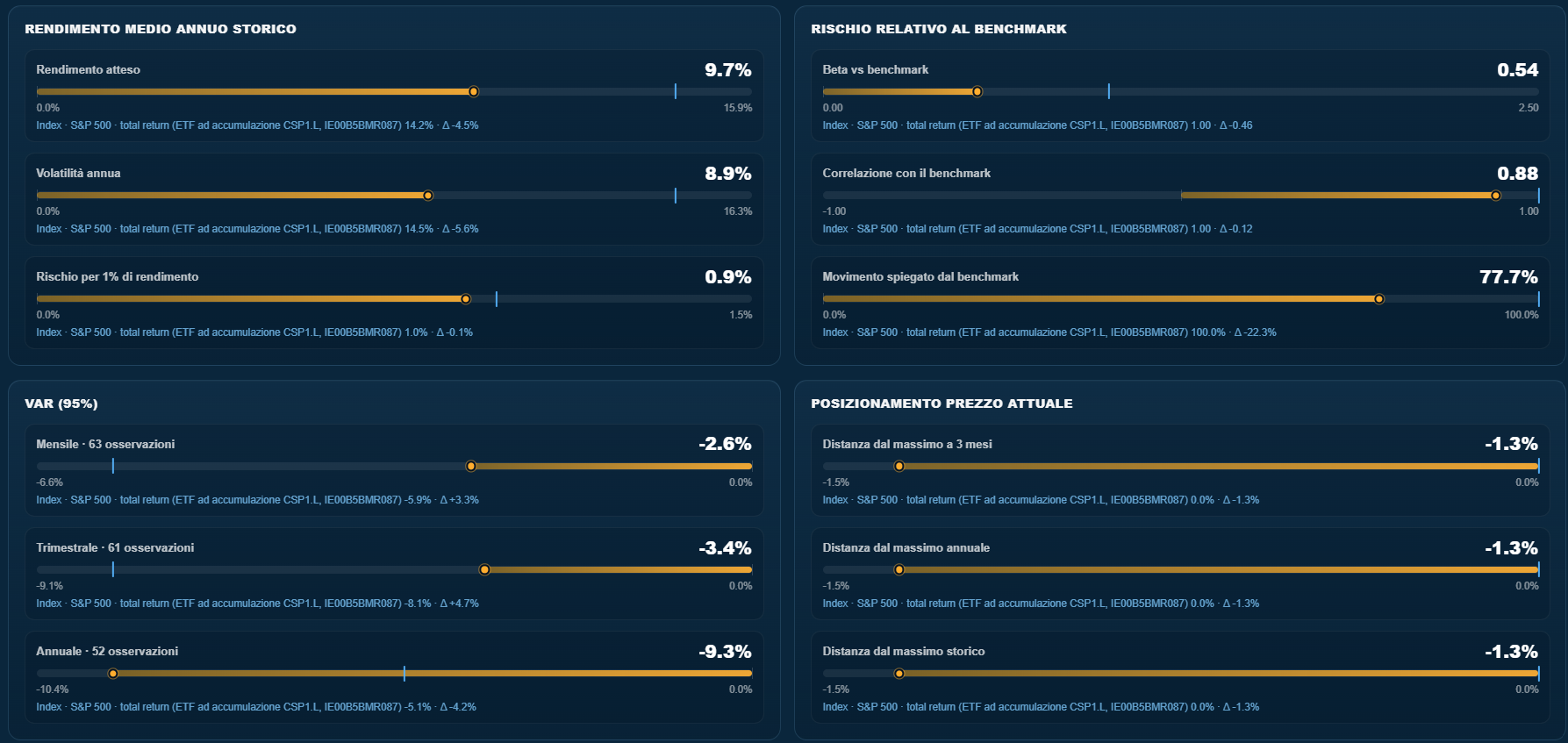
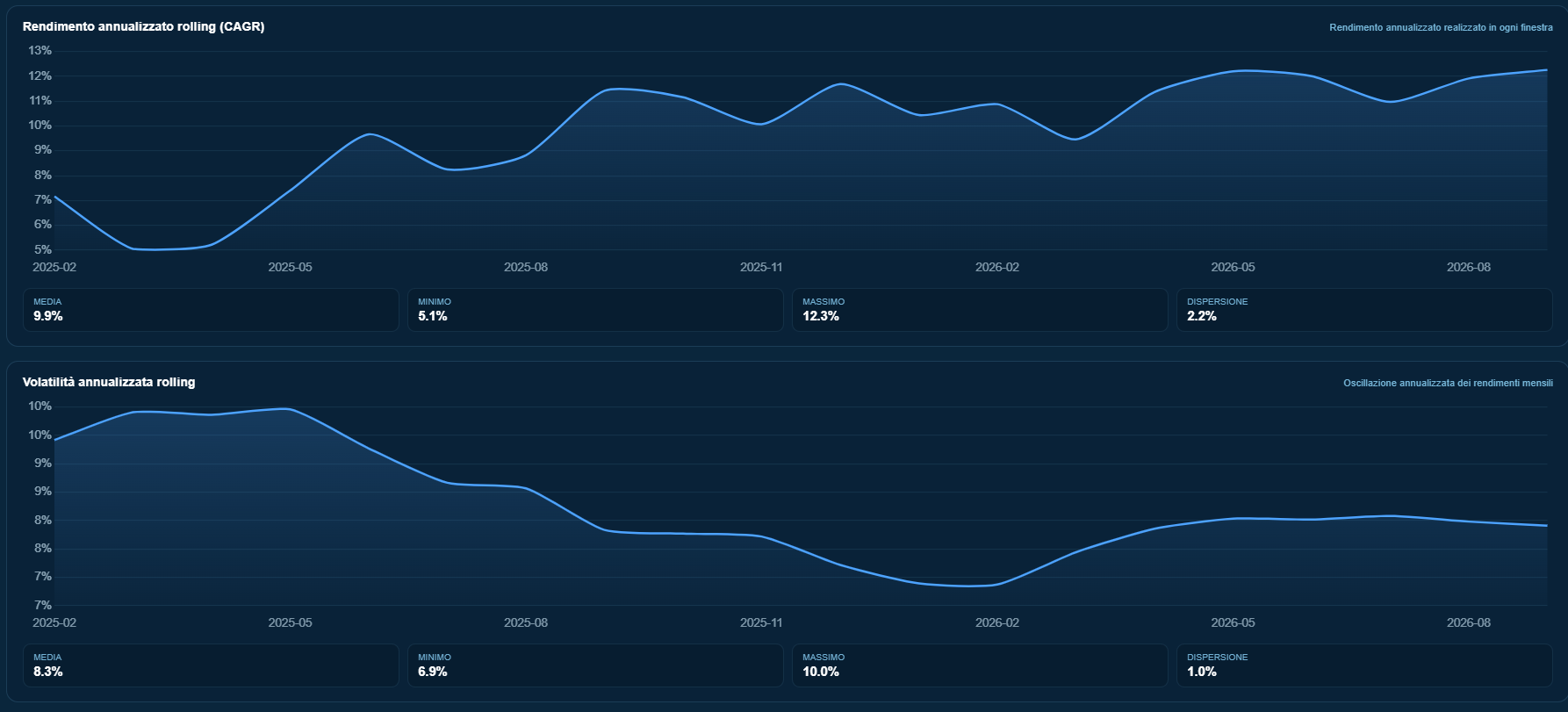
Look beyond aggregate returns. Where sufficient data is available, the analytics suite helps you understand exposure distribution, correlations, overlapping holdings, the contribution of individual instruments and CAPM-related metrics.
COMPARE PERFORMANCE AGAINST A BENCHMARK
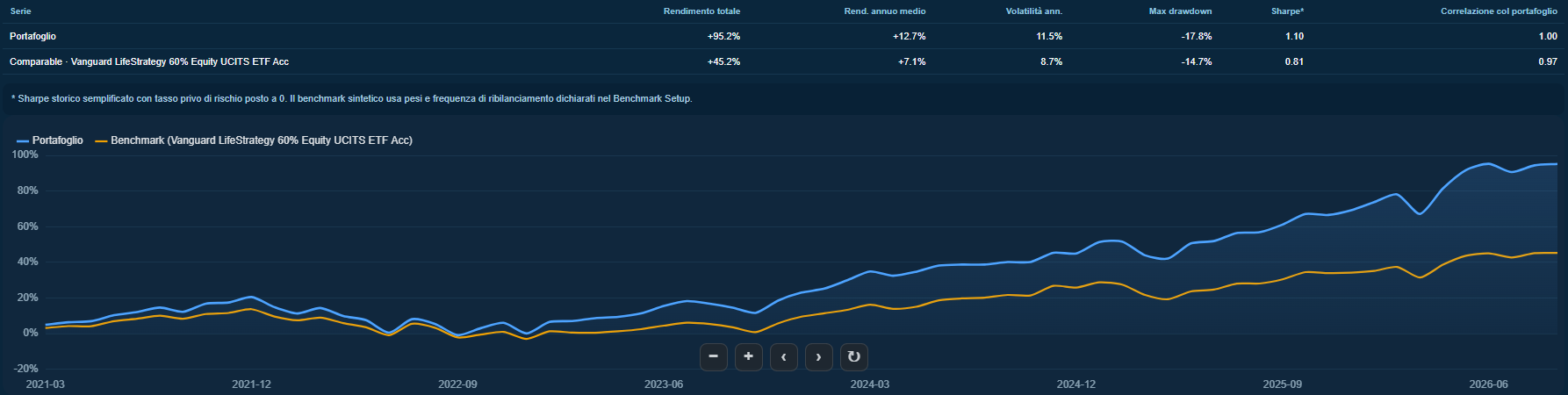
Choose standard benchmarks or build custom benchmarks by combining references that better represent your portfolio strategy. BTi lets you compare portfolio returns with your chosen benchmark and monitor differences over time, with the flexibility needed for professional analysis.
CHECK COMPLIANCE WITH YOUR DEFINED LIMITS
A dedicated view brings portfolio limits together, helping you identify situations that require attention against your configured criteria.

ALL PORTFOLIOS IN A SINGLE VIEW
The portfolio overview brings together assets under management, performance, risk and warning indicators for monitored portfolios. From the overall view, explore each client's holdings. Transactions after import must be recorded manually to keep the reconstructed portfolios up to date.
| ACCOUNT NAME | PORTFOLIO NAME | ASSETS UNDER MANAGEMENT | PORTFOLIO LIMITS | 0M | 1M | YTD | 1Y | SINCE INCEPTION | CURRENT DRAWDOWN | VOLATILITY (1Y) | 3M | 6M | 3Y | 5Y | MAX DRAWDOWN |
|---|---|---|---|---|---|---|---|---|---|---|---|---|---|---|---|
| Client 01 | BALANCED | 250.000 € | OK | +0,4% | +1,2% | +5,6% | +7,1% | +12,3% | -1,1% | 8,2% | +2,7% | +4,8% | — | — | -6,4% |
| Client 02 | CONSERVATIVE | 180.000 € | OK | +0,1% | +0,6% | +3,1% | +4,2% | +6,9% | -0,5% | 4,6% | +1,4% | +2,9% | — | — | -3,0% |
| Client 03 | DYNAMIC | 325.000 € | WARNING · 1 | -0,2% | +2,3% | +8,4% | +10,2% | +16,8% | -2,8% | 13,1% | +5,1% | +7,6% | — | — | -11,2% |
| Client 04 | DIVERSIFIED | 145.000 € | OK | +0,2% | +1,0% | +4,9% | +6,0% | +9,5% | -0,9% | 7,3% | +2,4% | +3,9% | — | — | -5,1% |
Illustrative BTi interface. Client names and figures are fictional; the columns reflect those available in the portfolio overview.
RECONSTRUCT TRANSACTIONS AND MONITOR THE PORTFOLIO
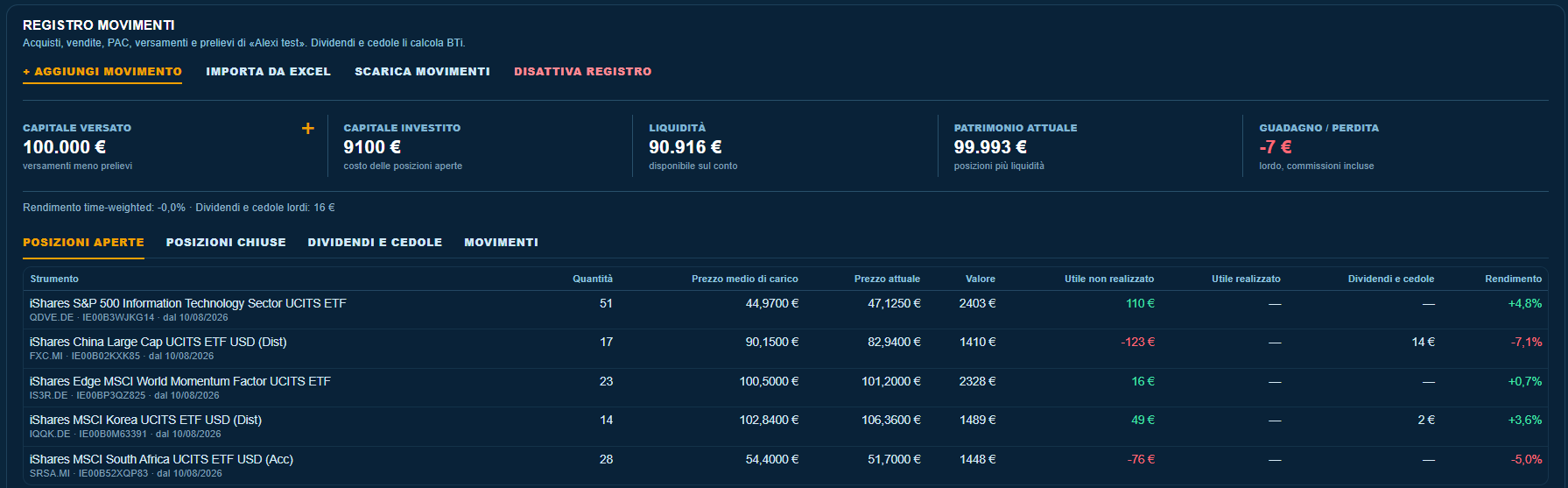
The log brings together purchases, sales and cash movements in an orderly record of portfolio transactions. Recording subsequent movements helps keep portfolio monitoring aligned with the transactions actually made.
CHOOSE YOUR BTi PLAN
Flexible plans to access BTi, from individual professional needs to tailored solutions for teams and organisations.
MONTHLY
For maximum flexibility when accessing BTi.
- Access to the BTi platform.
- Market intelligence and quantitative tools.
- Ideal for getting started without an annual commitment.
QUARTERLY
For more consistent use of BTi.
- Access to the BTi platform.
- Analysis and tools updated over time.
- An intermediate option for recurring use.
ANNUAL
For professionals looking to integrate BTi into their ongoing investment analysis workflow.
- Annual access to the BTi platform.
- Ideal for ongoing use.
- The most cost-effective plan over the long term.
CORPORATE
Tailored solutions for teams and organisations.
- Multiple user accounts for teams or organisations.
- Configurations tailored to professional needs.
- Commercial terms available on request.
Individual plans include a one-day free trial. The first payment is taken at the end of the trial unless you cancel during the free period. BTi provides analytical, research and market intelligence tools and does not constitute personalised financial advice.